

Casinia mobile play and browser access
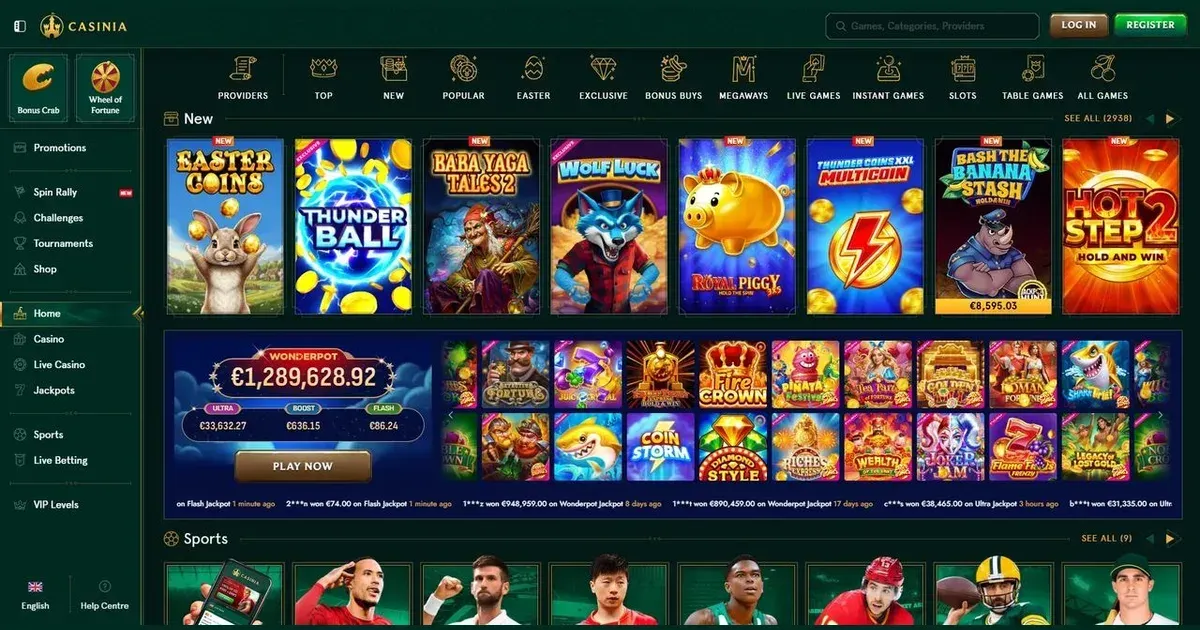
















Casinia can be reached through its website on a phone, with the same player account used on desktop. This page explains what works in the mobile browser, which tasks remain easier on a larger screen and how to keep a mobile session under control.
What you can do from your phone
Casinia gives mobile players access to slots, table games, live dealer tables, jackpots, instant games, bonus buys and Megaways. Sports betting is also available, with roulette, blackjack, game shows, baccarat, dice and poker among the live game categories.
The account area remains central on a phone. You can move between games, open the cashier, start verification and contact the support team without switching to a desktop session.
- Browse the main game categories from a mobile browser.
- Use the cashier for deposits and withdrawal requests.
- Submit identity and payment verification documents.
- Reach 24/7 live chat support.
- Place sportsbook bets from 0.5 in your account currency.
Starting from the mobile browser
Mobile access follows the same sequence as desktop access. The interface adapts to the smaller screen, while your balance, bonuses and account records stay attached to the same account.
- Open the Casinia website in your phone’s browser.
- Sign in with the credentials used on desktop.
- Choose a game or visit the cashier from the account area.
- Complete any requested verification before sending a withdrawal request.
- Sign out when using a shared or publicly accessible device.
Casinia also provides 24/7 live chat, which is more practical on a phone than email when a payment or verification query needs attention. The site’s support email is [email protected].
Payments and verification on a smaller screen
The cashier supports the same banking routes described in Casinia’s terms, including bank cards and bank transfers. A mobile session can carry you from a deposit to a withdrawal request, although reviewing transaction records is easier when you have access to a larger display.
Identity checks may be required before or after deposits and withdrawals. You may need certified identification, proof of residence, proof of ownership and transaction histories for the payment method used. Documents must be supplied within 30 days of the request, and verification usually takes 10 days once the response is complete.
Additional security checks can include a phone call or face verification. That makes the phone useful for completing checks, but it also means your mobile number and the device holding your session should be under your control.
Where mobile is less convenient
Small screens make detailed betting and account information harder to read. Long game lists, transaction histories and bonus conditions require more scrolling, while live dealer and sportsbook interfaces can feel cramped on a narrow display. Portrait mode also reduces the viewing area available to games with wide layouts.
Connecting over mobile data can also affect session continuity. A stable connection matters most when a live game is in progress or a payment request is being submitted. A loss of connection does not automatically cancel a bet, but it can leave you unsure whether an action registered before the screen froze.
Keep the cashier, live chat and verification pages open long enough to confirm that each action has completed before moving on.
Your mobile session checklist
A short routine before playing reduces avoidable problems on a device you use throughout the day. It also gives you a clearer view of your balance before games begin.
- Use a stable connection, especially for live games and payments.
- Check that you are using the operator’s own web address.
- Set your spending and session limits before starting.
- Sign out after using a shared phone or tablet.
- Keep verification documents private and confirm the request through live chat when necessary.
Our main Casinia page covers the wider selection of games, bonuses and account terms. Gambling should remain entertainment rather than an obligation. If you want to stop for a period, contact the support team to request a break or self-exclusion.
Access to this site is restricted to persons aged 18 and over (18+). For free and confidential support, visit BeGambleAware.org.
Frequently asked questions
Can I play Casinia games in my phone browser?
Yes. Casinia’s website can be used in a mobile browser, with access to the same account used on desktop.
Can I manage payments and verification on a phone?
Yes. The account area gives mobile users access to the cashier, verification requests and withdrawal functions, although detailed records are easier to review on a larger screen.
Can I contact Casinia support while playing on mobile?
Yes. Live chat is available 24/7 and can be reached from your account without leaving the mobile session.
What should I check before playing Casinia on a shared phone?
Use a stable connection, confirm you are on the correct website and sign out after your session. Keeping your account details and verification documents private is also important on a shared device.
Game Providers